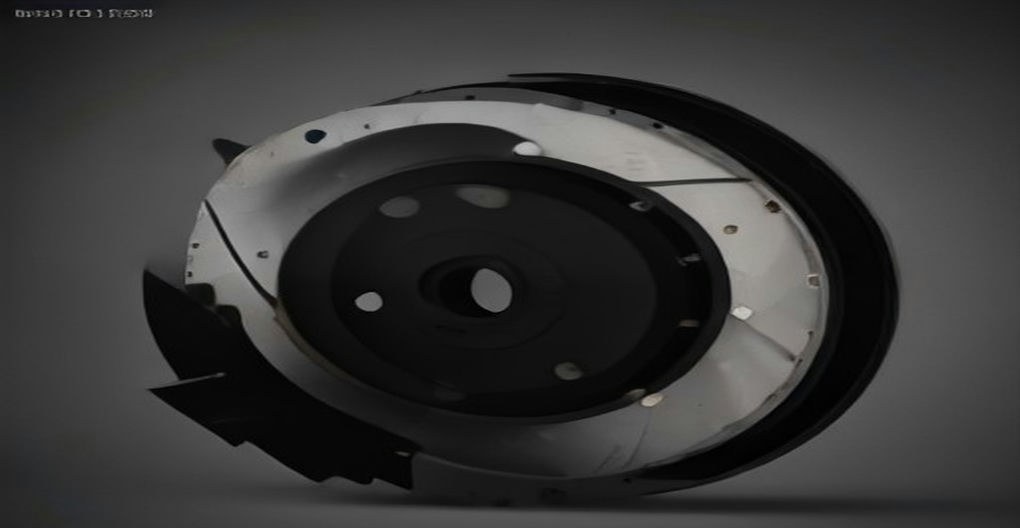
When your brakes pulse, squeal, or your mechanic says the rotors are “worn,” you face a classic decision: brake rotor resurfacing vs replacement. Resurfacing (machining) is cheaper, but it is only safe when the rotor still has enough metal left. Choose wrong and you either waste money or compromise your braking.
This guide explains exactly how resurfacing works, the measurements that decide the question, typical costs, and when replacement is the only responsible option.
Brake Rotor Resurfacing vs Replacement: How Each Works
Resurfacing means mounting the rotor on a brake lathe and shaving a thin layer off each friction surface to restore a flat, smooth face. It removes grooves, minor warping, and uneven pad deposits. A typical resurfacing removes about 0.015 to 0.030 inch (0.4 to 0.8 mm) per side.
Replacement means installing brand-new rotors — full original thickness, fresh metallurgy, and (on many cars) new corrosion coating on the hat and edges. New rotors give you the maximum service life and the best heat capacity.
Typical Costs Compared
- Resurfacing: $15 to $30 per rotor in labor at most shops. Some shops include it in a brake job.
- Replacement: $40 to $150+ per rotor for the part alone on most passenger cars, more for performance, drilled/slotted, or large SUV and truck rotors.
- Labor is similar either way since the rotor must come off regardless.
Resurfacing makes sense when the rotor is only mildly worn and comfortably above its minimum thickness. Replacement wins when the rotor is near its limit, damaged, or when the price gap is small — on many economy cars, a new rotor costs only $20 more than machining, making replacement the obvious choice.
The Deciding Factor: Minimum Thickness
Every rotor has a minimum thickness specification (often stamped as “MIN THK” on the rotor edge or hat). This is a hard safety limit, not a suggestion. A rotor at or below minimum thickness cannot dissipate heat properly, is prone to warping and cracking, and must be replaced — no exceptions.
Typical numbers (always check your specific vehicle):
- A common front rotor starts around 28 mm new with a minimum around 26 mm — only about 2 mm of total allowable wear.
- Rear rotors are often thinner, e.g., 12 mm new with a 10 mm minimum.
- Measure with a micrometer at several points around the rotor. If any measurement is at or below the minimum, replace.
Other Measurements That Matter
- Lateral runout: how much the rotor wobbles side to side. Most specs allow around 0.002 inch (0.05 mm) max. Excessive runout causes pedal pulsation.
- Thickness variation: differences in thickness around the rotor, usually limited to about 0.0005 inch. This is the most common cause of brake judder.
- Groove depth: shallow scoring under about 1.5 mm deep usually machines out cleanly; deeper grooves may not.
When Resurfacing Is the Right Call
Resurface when all of these are true:
- The rotor measures comfortably above minimum thickness (ideally with at least 0.030 inch / 0.8 mm of material to spare after machining).
- Damage is superficial: light scoring, minor rust on the friction surface, or mild thickness variation.
- The rotor is otherwise healthy: no cracks, no blue heat spots, no deep pitting.
- You are installing new pads and want a fresh, flat surface for them to bed into.
Two methods exist: bench lathes (rotor removed, most common) and on-car lathes (machines the rotor in place, which also corrects for hub runout). On-car machining gives the truest result but costs more.
When Replacement Is Mandatory
Replace the rotors — do not resurface — when you see any of these:
- At or below minimum thickness. Non-negotiable.
- Cracks of any size, especially around drilled holes or the outer edge.
- Deep grooves over about 1.5 mm that would require removing too much material.
- Blue or purple heat discoloration (heat spots), which indicates the metallurgy has been overheated and hardened unevenly — these rotors will pulsate again quickly even after machining.
- Severe rust or pitting on the friction surfaces, common on cars that sit for months.
- Previous resurfacing has already brought the rotor close to minimum.
Safety Note: Always Replace in Axle Pairs
Rotors must be replaced in pairs on the same axle. Mismatched rotor thickness or condition side to side causes uneven braking force and can pull the car under hard braking.
Bedding In New or Resurfaced Rotors
Fresh surfaces need a proper break-in to transfer an even layer of pad material. A common procedure: perform 5 to 6 moderate stops from about 40 mph down to 10 mph, then drive for several minutes without braking to let everything cool. Avoid hard stops for the first 200 miles. Skipping this step is a leading cause of “new brakes that pulse.”
Common Mistakes in the Resurfacing vs Replacement Decision
- Machining rotors that are already near minimum to save $30 — you buy a few thousand miles and then pay for replacement anyway.
- Replacing pads without addressing the rotors. New pads on grooved or warped rotors wear unevenly and often squeal.
- Resurfacing drilled or slotted performance rotors aggressively — many manufacturers recommend replacement rather than machining for these.
- Ignoring the root cause of uneven wear, such as a sticking caliper slide pin, which will ruin the new surface just as fast.
Rule of thumb: if the rotor is thick, smooth-ish, and healthy, resurfacing is a smart save. If it is thin, cracked, heat-spotted, or the price of new is close, replace. When in doubt, measure — the micrometer does not have opinions.